
Browse the Manifest help
Selling internationally
Countries, currencies and languages
Country and language selectors, translated store text, and right-to-left languages.

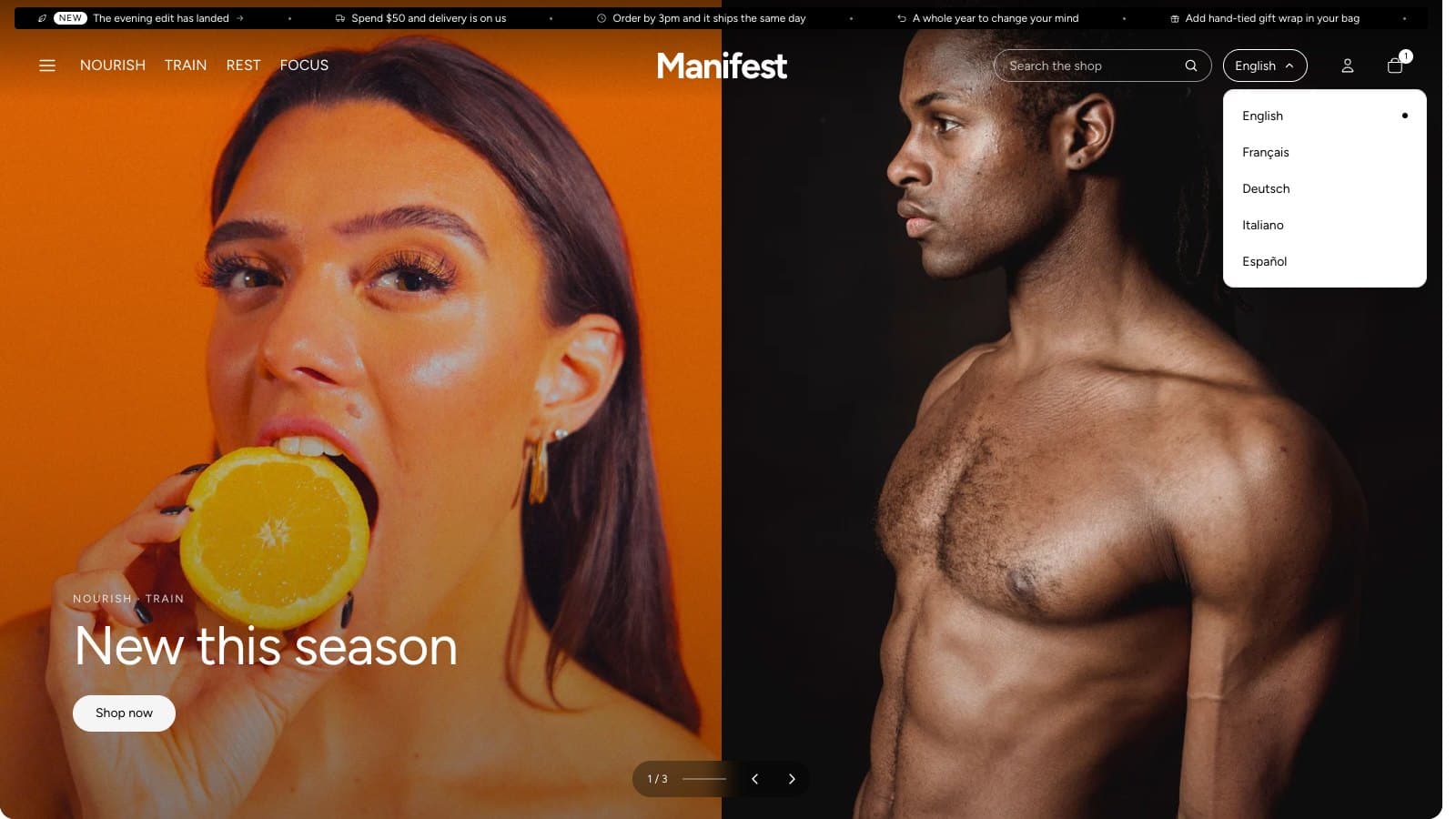
WhereSettings → Markets and Settings → Languages in Shopify admin; the selectors in the Header and Footer.
- Countries and currencies: set up in Settings → Markets. With more than one country, visitors can switch from the header or footer, and prices follow in their currency.
- Languages: publish them in Settings → Languages and translate your content with Shopify's Translate & Adapt app.
- The theme's own words (buttons, labels and messages) come translated into 23 languages: English, Arabic, Chinese (Simplified and Traditional), Czech, Danish, Dutch, Finnish, French, German, Hebrew, Italian, Japanese, Korean, Norwegian, Polish, Portuguese (Brazil and Portugal), Spanish, Swedish, Thai, Turkish and Vietnamese. Edit any of them in Online Store → Themes → … → Edit default theme content.
- The theme editor itself is available in 21 languages.
- Right-to-left languages such as Arabic and Hebrew mirror the layout, arrows, sliders and shading automatically.