
Browse the Manifest help
Cart drawer, gift wrap and discounts
The cart that slides in from the side, the order note, the free shipping bar, gift wrap and message, discounts and express checkout.

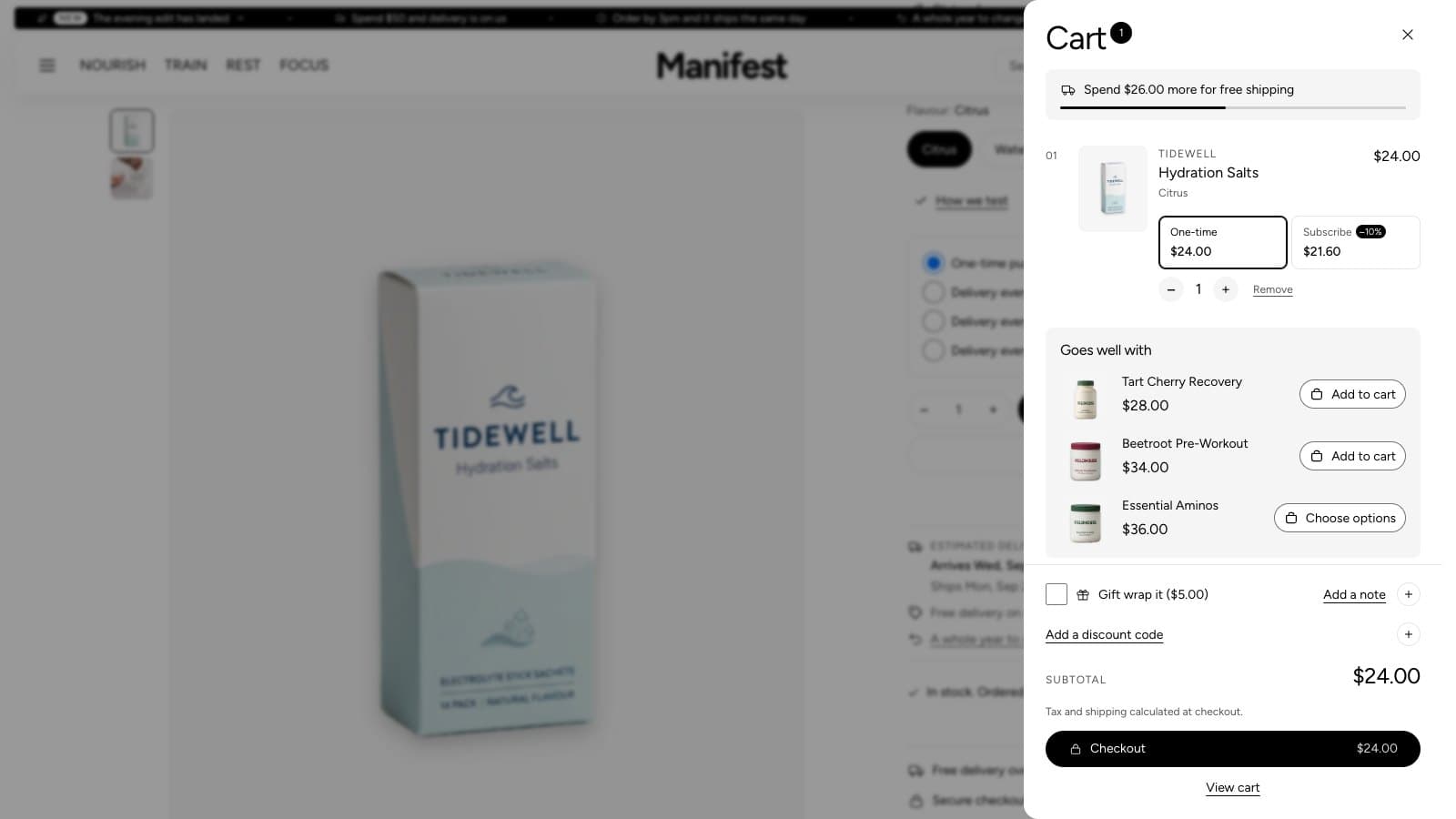
Cart drawer
Adding to cart opens a drawer from the side rather than leaving the page. Quantities and removal update in place. The full cart page shows the same, with an optional order note.
Order note
In the cart drawer, Add a note has a round + beside it. Tapping it opens a box for the note, and the + turns to × to close it again. A note that's already written starts open. To turn the note off, open Theme settings → Cart and turn off Show a note field in the cart drawer.
Shopify sets no length limit on notes. If you print notes on a card or a packing slip, set Note character limit in Theme settings → Cart. It applies to the note in the cart drawer and on the cart page, and a counter under the box shows how many characters are left. 0 means no limit.
Subscriptions in the cart
When a product is sold on a subscription (set up with a subscription app such as Shopify Subscriptions), each of its lines in the cart drawer and on the cart page offers two choices side by side, One-time and Subscribe, each with its price and the saving. Choosing Subscribe makes the line a subscription at the subscription price; One-time turns it back. The cart's summary adds up what subscriptions and discounts save. When the subscription has several frequencies, such as every month or every 2 months, a menu lets shoppers pick one right there. Preorders and try-before-you-buy plans aren't offered by the switch.
Free shipping bar
Set Free shipping threshold in the Cart drawer section, in your store's currency. The drawer shows how much more is needed, and fills the bar when the order qualifies. It starts empty, which hides the bar. It also hides for shoppers paying in another currency, because the amount can't be converted exactly. The threshold is only a message: set up the free shipping rate itself in Settings → Shipping and delivery.
Rewards ladder
Add up to two more rewards after free delivery in the Cart drawer section, under Rewards: an amount (Second reward at, Third reward at), a short Reward name such as Free gift or 10% off, and for a gift, the Gift product. The drawer then shows one bar with a marker for each reward and says how much more unlocks the next one. When a gift's reward is reached, the shopper adds it with one tap; the theme never puts it in the cart on its own.
Gift wrap and gift message
- Create a product called Gift wrap, with its price, in Products.
- In Theme settings → Cart, choose it under Product used for gift wrapping. A checkbox appears in the cart, and the product itself is hidden from your collections and search.
- Turn on Let customers add a gift message to add a message field. The message is saved on the order.
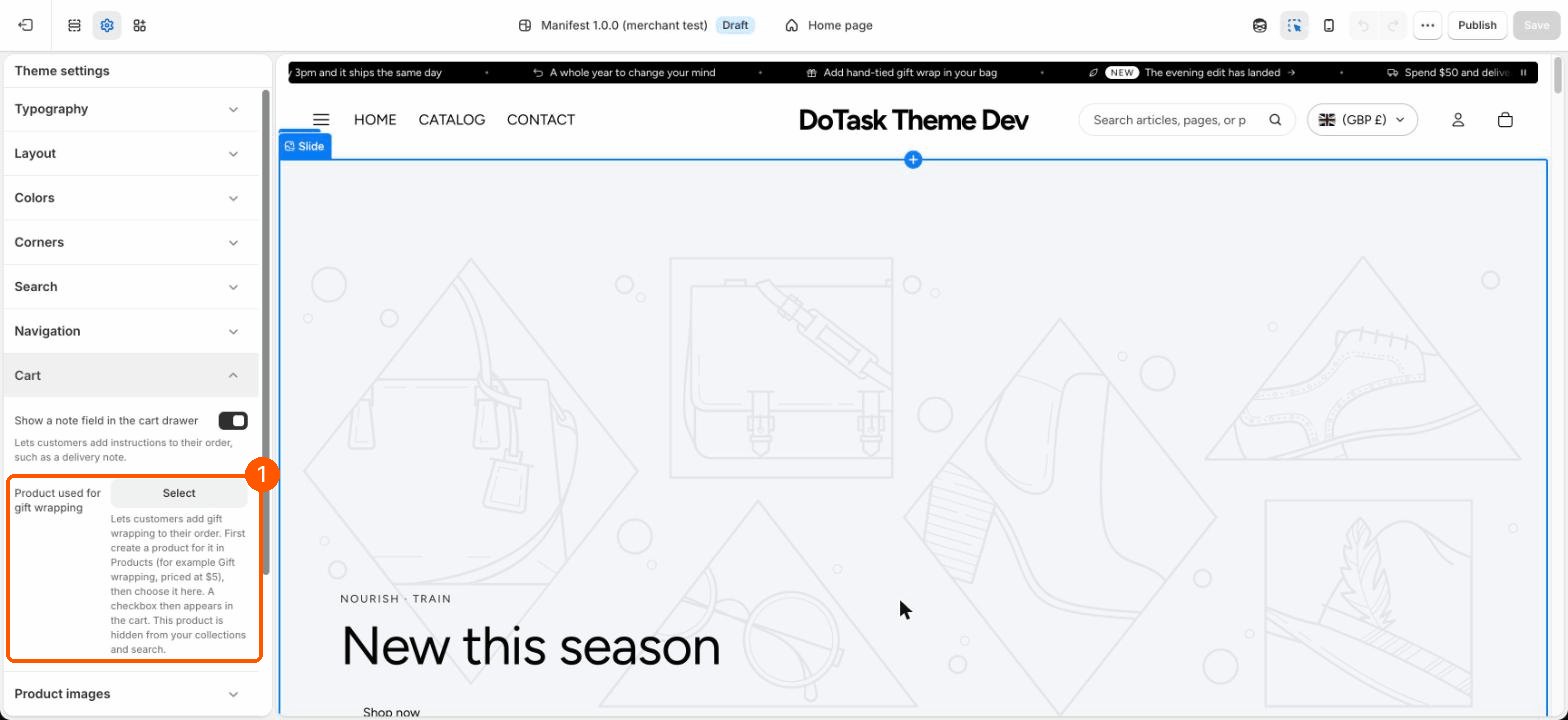
Product suggestions
Turn on Show product suggestions in the Cart drawer section (and on the cart page) to show a few products that go with what's in the cart. With Products to suggest on Shopify's recommendations, Shopify picks them from the first item in the cart: first its complementary products (set them in the free Search & Discovery app), then related ones. Choose Only products I pick to show the same products every time. Products already in the cart are left out.
Terms checkbox
Ask customers to agree to terms adds a checkbox above the checkout button. Checkout stays locked until it is ticked. The default text links to your terms of service (Settings → Policies); write your own in Checkbox text, with a link to any page.
Discount codes
Under the subtotal, in the drawer and on the cart page, Add a discount code opens a field. Like the note, it has a round + that turns to × to close it. The code is checked straight away: a code that works shows as a tag with the saving in the summary, a code that doesn't fit what's in the cart shows crossed out with a line saying so, and each tag has a button to remove it. Several codes can be used together when your discounts allow it (set that in Discounts, under Combinations). Automatic discounts and codes applied through a discount link show the same way, on each line and for the whole order.
Pre-orders and pay later
With a pre-order or try-before-you-buy app that charges part of the price at checkout and the rest later, the plan's line on the product page and each cart line say what is paid today and what is paid later, such as $10.00 today, $30.00 later. Nothing to set up in the theme.
Bundles and add-ons
Lines made by a bundles app list what they include under the product name. Add-ons an app ties to another line, such as a protection plan, say which product they came with, and when the app locks their quantity or removal, the cart hides those buttons and shows the quantity only.
Safety notices
Disclosures you set to show in the cart (see Product page, Disclosures) appear under the line, as their titles; tapping opens the full notice.
Express checkout
Shop Pay, Apple Pay, Google Pay and PayPal buttons appear on the product page and in the cart once they are set up in Settings → Payments. Their colors are set by Shopify and the payment providers.