AI Agent
Configure: languages, personal data, reply speed, models
Which languages it answers in, what it may know about the customer, how soon it replies, the models and timezone.


 AI Agent
Read it in the appThe same article opens from Help inside app.dotask.io, beside the screen it describes.
- Name and business live under Instructions; Configure shows them and links there.
- Read your team’s notes about the customer — off by default. When on, the AI Agent reads the notes on a customer’s record and their pinned Info and Caution alerts as background, never quoting them; health notes and alerts are never given to it.
- Label every new message — on by default: what the customer wants (your review topics), their mood and language, with a one-line summary in the inbox; routing can use it. Billed under Usage as “triage”, a fraction of a cent each.
- Suggested replies — made only when someone presses Suggest in the reply box. Billed under Usage as “assist”.
- Languages — a default, and either any language the customer writes in or a fixed list.
- Photo and PDF understanding — on by default: the AI Agent looks at photos customers send (a product, a receipt, a screenshot) and reads PDFs up to 10 pages and 5 MB (an invoice, a quote, a form), and answers from them; card numbers, IDs, bank accounts and passwords are never repeated. A longer PDF is not read: the AI Agent says so and offers a person. Switch it off here.
- Voice notes — a voice note up to about 2½ minutes is turned into text (English, Malay, Chinese and more): the AI Agent answers what was said, and the inbox shows the words under the audio. A longer one, or one on a day the free transcription allowance has run out, still arrives with its play button; the AI Agent asks the customer to type it or passes it to a person.
- What the agent may know about the customer — name, email and which contact fields are put in front of the model.
- Details to ask for and remember — tick name, email, phone or any field from Settings → Fields (a company name, an account number). The AI Agent asks for a missing one when it fits — before a booking or a quote, when the customer mentions their company — one at a time, never as a form, and saves what the customer says on the contact, where the inbox panel, Contacts and segments show it.
- Review every conversation — on by default: a small model call files each conversation the AI Agent replied in under a topic and scores it (Analytics → AI support → Topics & quality). Give it your own topic list to file under fixed headings.
- Models — the default model and the escalation model used when it is unsure; timezone and locale for how times and numbers appear.
Reply speed
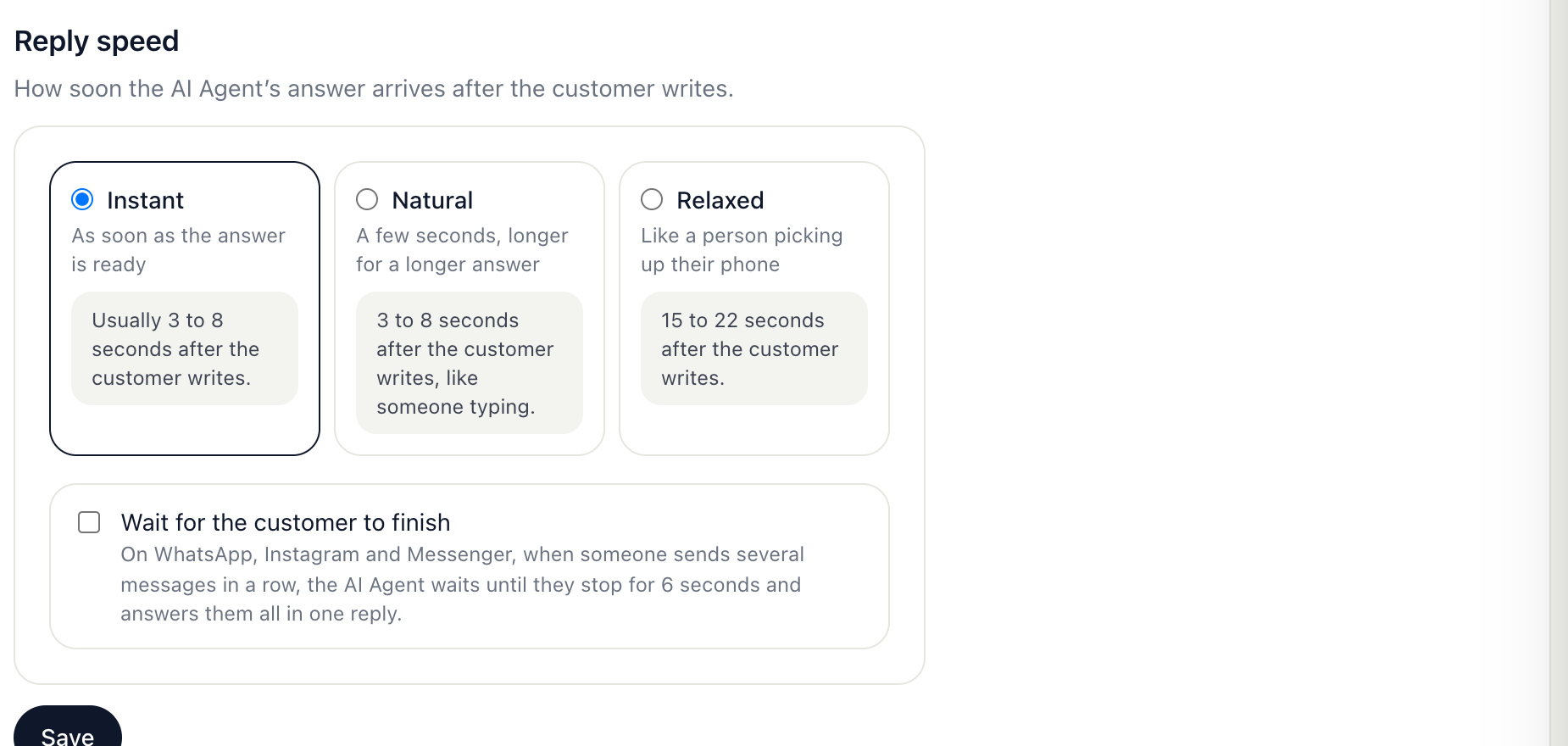
- Instant — the answer goes out as soon as it is ready, usually 3 to 8 seconds after the customer writes.
- Natural — 3 to 8 seconds after the customer writes, longer for a longer answer.
- Relaxed — 15 to 22 seconds after, like a person picking up their phone.
- Wait for the customer to finish — on WhatsApp, Instagram and Messenger, several messages in a row get one answer, once the customer has stopped for 6 seconds. Website chat already waits for each answer before the next message.
The wait counts from the customer’s message, so the time the AI Agent spends thinking is part of it. Nothing is ever held longer than 25 seconds.